Scaled customer communications

Every account gets its own update. Your team doesn’t build each one.

Turn a defined customer audience into a repeatable program of account-specific value snapshots, reports and updates.

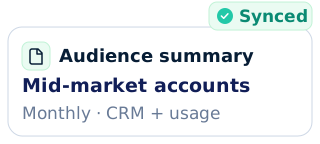
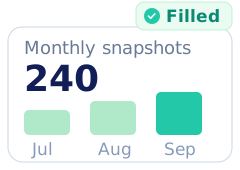
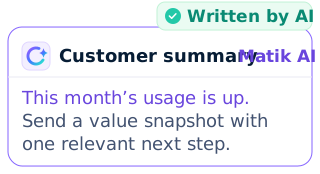
Illustrative account inputsIllustrative configured account metricIllustrative AI-assisted account narrative
What makes a scaled update useful to the customer?

A repeatable program. A relevant update for each account.

Matik automates account-specific customer communications using connected data, approved templates and configured workflows. Teams can generate reports in bulk, schedule recurring runs and deliver personalized emails and files through Matik Mail.

Define coverage deliberately.

Choose the accounts, recipients and eligibility rules for the program instead of relying on one-off manual outreach.

Keep the content account-specific.

Populate every output with that account’s configured usage, progress or value measures.

Make the cadence repeatable.

Use scheduled or cadence-evaluated triggered flows to run the program without rebuilding the batch.

See what happened after sending.

Use available delivery and engagement signals to assess the program and plan the next iteration.

How do you choose which customers receive an update?

Start with the audience and the recipient rules.

Configure which accounts belong in the run, which contacts receive each account’s output and what inputs the template needs. A repeatable program starts with clear mapping.

  • Use connected account/contact data and configured eligibility logic.

  • Generate one account-specific output per input in a bulk workflow.

  • Generate updates on a schedule or when your configured data trigger is evaluated.

How does every customer receive different content?

Use one approved structure and each account’s evidence.

Matik populates the published template with the account’s configured metrics, charts and relevant content. A monthly value snapshot can show progress and useful next steps without a CSM assembling every file.

  • Connect the usage, CRM or warehouse values the program needs.

  • Keep metric definitions and content conditions consistent across the audience.

  • Review the template, narrative guidance and example outputs before starting the program.

How are the customer updates delivered?

Generate, send and inspect the program’s delivery.

Matik Mail combines personalized emails with account-specific attachments or links. Configure sender and recipient mapping, use the optional review outbox when appropriate and inspect the available engagement signals.

  • Use a verified company domain and configured sender/recipient rules.

  • Send supported attachments or links to the generated content.

  • Review opens, clicks and bounces without treating an open as proven customer value.

Where should customers receive the update?

Deliver to their inbox or share the generated file.

Use the program’s configured sender, recipient and destination rules to deliver account-specific outputs on the chosen cadence.

Personalized email + output

Use Matik Mail for a personalized message with a supported attachment or a link to the account’s generated report.

  • Mapped account and recipient
  • Configured sender
  • Optional outbox review + engagement signals

Files in the right destination

Route generated files to configured Google Drive, OneDrive or SharePoint destinations, including account-specific folders when configured.

  • Account-specific generated file
  • Configured destination/folder logic
  • Distribution rules chosen by your team
Connected to your stack

Connect the audience, the evidence and the delivery.

Use the available data, workflow and output connections your program needs. The shared tool band retains distinct roles and beta labels; connection pages explain setup.

  • Salesforce · CRM data source and in-app generation
  • Snowflake · Data source
  • HubSpot · Data source
  • Looker · Data source
  • Google Sheets · Spreadsheet data source and output
  • Google Slides · Output format
  • Microsoft PowerPoint · Output format
  • Claude · AI workspace via MCP
  • ChatGPT · AI workspace via MCP
  • Gemini · AI workspace via MCP
  • Perplexity · AI workspace via MCP
  • Google Drive · Generated-content destination
  • Gainsight · Data source
  • Tableau · Data source
  • Power BI · Data source
  • Amazon Redshift · Data source
  • BigQuery · Data source
  • Databricks · Data source
  • Presto · Data source
  • Amazon Athena · Data source
  • PostgreSQL · Data source
  • MySQL · Data source
  • Microsoft SQL Server · Data source
  • Microsoft Azure · Data source
  • Microsoft Excel · Spreadsheet data source and output
  • Productboard · Data source
  • Google Docs · Output format
  • Microsoft Word · Output format
  • Email · Personalized email body and attachments
  • Highspot · Workflow / delivery connection
  • Salesloft · Cadence-triggered generation and content links
  • Microsoft OneDrive · Generated-content destination
  • Microsoft SharePoint · Generated-content destination
  • Slack · Context via MCP; generation through a connected AI assistant
  • Gong · Call context via MCP
  • Atlassian · Jira and Confluence context via MCP
  • Jira · Issue context via MCP
  • Confluence · Knowledge context via MCP
  • Staircase · Customer context via MCP
  • MCP · AI assistant and context protocol
  • Matik Pages · Account-specific pages (beta)
Okta
Monthly Value Snapshots across roughly half the customer base.
~50%
of Okta customers receive a monthly Value Snapshot

Okta reports sending self-serve Value Snapshots to roughly 50% of its customers each month. The example shows a repeatable digital CS program rather than a CSM assembling each update.

2026 · Customer-reported results.

Okta
Trust built in

Customer data deserves a considered approach.

Matik combines governed content with published security practices. Explore the details with your security team.

SOC 2 Type II
Published security assurance
Encryption at rest
Protection for stored data
Defined access controls
Controls around sensitive systems
FAQ

Questions before starting a customer update program?

What are scaled customer communications?

Scaled customer communications deliver a repeatable update program across a defined audience. With Matik, teams generate account-specific reports or value snapshots from connected data and approved templates, then use configured workflows and Matik Mail or file delivery to distribute the outputs.

How does Matik personalize a report for every account?

Matik runs the configured template with each account’s inputs. Source queries supply that account’s metrics and charts, while configured content rules select relevant material. The team sets up and reviews the template and examples before using it across an audience.

Can Matik send reports on a monthly schedule?

Yes. Matik workflows can run on configured schedules, including monthly runs, and can generate content in bulk. Triggered workflows evaluate their configured conditions on a cadence rather than monitoring every source event continuously in real time.

Can someone review the emails before they are sent?

Yes. Matik Mail supports an optional outbox review before sending. Teams configure sender and recipient mapping and can choose an approval pattern that fits the program. The program does not require an individual CSM to build every customer report.

Which formats can a customer update use?

A Matik update can use a personalized email with supported generated attachments or file links. Matik’s available formats include presentations, documents, spreadsheets and PDFs. Live Pages is a beta output and should be labelled as such; it is not a continuously synchronized customer portal.

What delivery or engagement information is available?

Matik Mail provides available delivery and engagement signals such as opens, clicks and bounces. These can help teams assess the communication program. An open or click alone does not establish product adoption, customer value or a renewal outcome.

Is there an example of this workflow in use?

In Matik’s June 2026 Okta story, Okta reported sending self-serve Value Snapshots to roughly 50% of its customers each month. That figure describes Okta’s monthly Value Snapshot distribution, rather than guaranteed coverage for every Matik customer.

Request a demo

Bring the update you want every account to receive.

We’ll map the audience, account data, output and delivery cadence into a repeatable customer communication workflow.

Request a demo