Reuse the approved calculation.
Populate a configured model instead of reconstructing a new value or pricing calculation for each opportunity.
Use the discovery inputs, account data and calculation your team approves. Finish with a proposal or business case that speaks to this buyer’s priorities.

Matik automates buyer-specific proposals and business cases using connected account data, approved templates and configured calculations. Sales teams provide discovery inputs and explicit assumptions, then review and edit the generated document or presentation.
Populate a configured model instead of reconstructing a new value or pricing calculation for each opportunity.
Separate source facts from buyer-entered estimates so the case can be reviewed and explained.
Bring the buyer’s priorities and account context into the story around the numbers.
Review and edit the generated proposal, business-case deck or one-pager before it reaches the buyer.
Bring the opportunity/account details from your CRM and the inputs collected during discovery. Identify which values are measured and which are estimates before they enter the calculation.
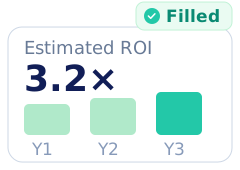
Configure value or pricing logic in an approved source, such as a spreadsheet calculator or query, and populate the relevant output template. Reps use that setup instead of asking AI to invent a calculation.
Published template + account + configured inputs.
Connected source data and configured calculation logic.
Editable native output, ready for your final review.
Add the buyer’s goals and discovery context to guide the narrative. Review the explanation and finish the native document or deck with the scope, caveats and next steps relevant to the opportunity.
Use separate approved templates when the proposal and business case answer different buyer questions. Review the scope, commercial inputs and assumptions before sharing.
Populate the approved scope, account details and configured pricing/value content in an editable document or presentation.
Explain the configured scenario with its assumptions and methodology, tailored to the buyer’s decision.
Use CRM and calculation inputs alongside the native document and presentation formats your team works in. Integration access follows the user’s configured permissions.







.png)








Matik combines governed content with published security practices. Explore the details with your security team.
Business case automation turns defined account/discovery inputs and a configured calculation into a reusable buyer-facing output. Matik combines connected data, approved templates and the team’s calculation logic, then lets the rep review and edit the document or presentation.
Matik’s documented Google Sheets workflows include pricing proposals and ROI one-pagers populated from configured calculators. Your team must provide the approved calculation, template and inputs. Matik content generation does not replace your commercial approval process.
Configured source data and calculation logic supply the numeric scenario in a Matik data-driven template. Your team defines the methodology and labels assumptions. AI-assisted explanation can vary and should be reviewed; a generated number is not evidence that an estimate will be achieved.
Yes, when the template is configured for those inputs. Separate buyer estimates from measured source facts and explain their role in the calculation. The same configured model can support consistent scenarios without treating the assumptions as verified outcomes.
Yes. Matik supports generation through its Salesforce integration and compatible AI assistants connected through MCP. The user provides the required inputs and uses their own configured Matik access. Integration-specific setup and permissions still apply.
Yes. Matik supports editable native documents and presentations, including Google Docs, Word, Google Slides and PowerPoint. The rep can refine the buyer context, explanation and next steps before sharing. Edits to a generated file do not update the underlying calculator or all other outputs.
No. Once your team has configured and published an approved calculator-driven template, reps supply the required opportunity inputs instead of rebuilding the model. Admins manage the connected sources, calculation logic and templates; sales teams keep the necessary commercial review before sharing an output.