





8×
More business reviews.
A consistent story for every customer.
With Matik, Asana reported eight times more business reviews and two hours saved preparing each one.
Read Asana’s story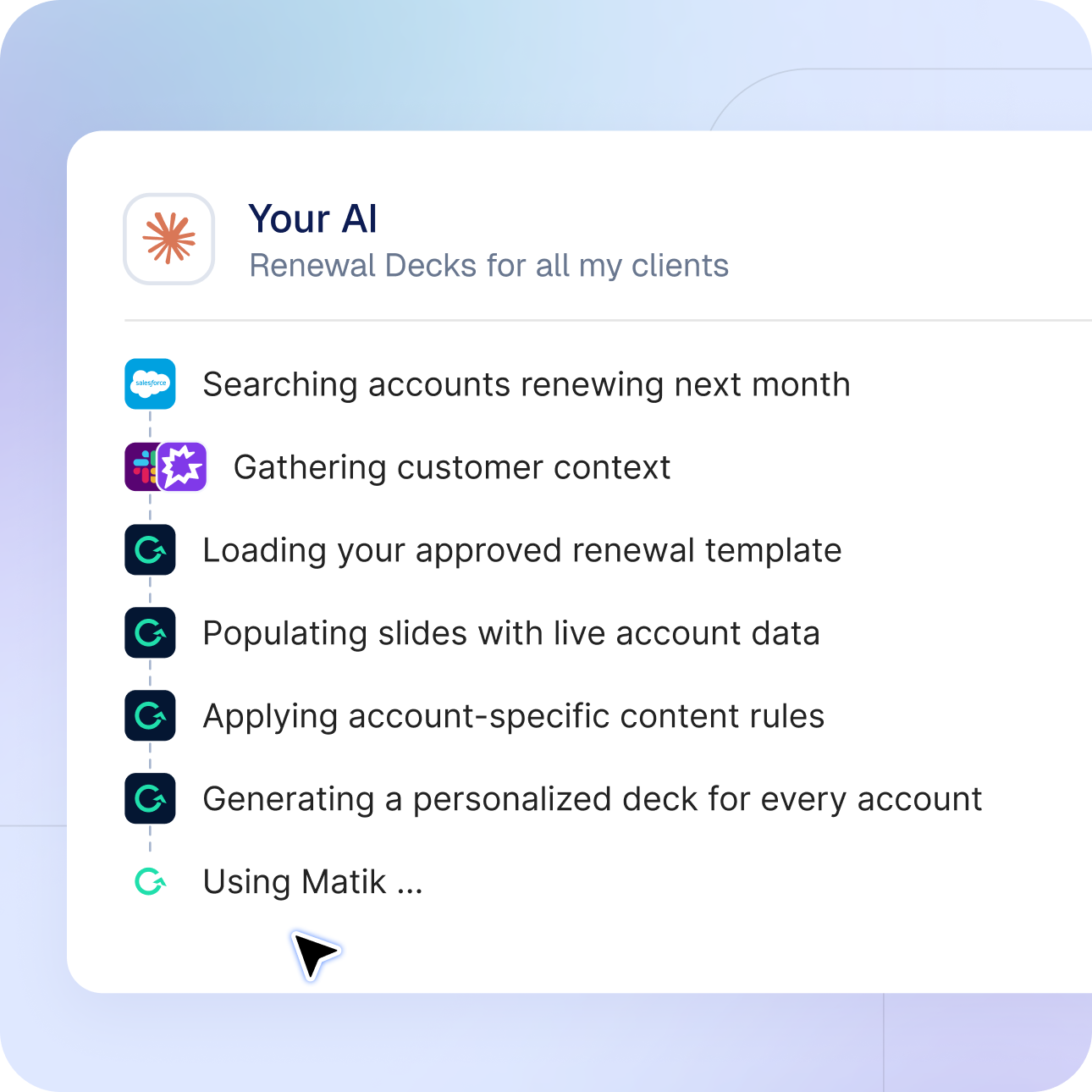
Matik MCP
Connect Matik to Claude, ChatGPT, or your own agent and ask for a deck the way you'd ask a colleague. Matik finds the right template, fills it with live data, and hands back the file. And with MCP connections into Gong, Slack, and Jira, the content Matik writes knows what happened on the last call.
Approved templates. Real inputs.
YOUR TEMPLATES
Quarterly Business Review
Renewal Review · Customer Value Snapshot
ACCOUNT OPTIONS FROM LIVE DATA
Acme Corporation
Northwind · Globex · Acme Corporation
GENERATED BY MATIK
Acme · Q3 Business Review
Your design, data logic and AI guardrails
Illustrative example
Generate from your assistant
General-purpose AI can write a slide, but it can't produce the QBR deck your team signed off on, with this quarter's numbers for this account. Matik can. Your assistant browses the templates you have access to, asks for what it needs, and returns a finished deck, doc, or sheet.
Works with Claude, ChatGPT, and any MCP-capable assistant or agent.
The assistant asks for required inputs and offers valid options pulled from your live data, so you pick a real account, not a typo.
Every output comes from an approved template: your design, your data logic, your AI guardrails.
One query. A consistent answer.
YOU
What is Acme’s weekly active usage?
Last 90 days
MATIK · DYNAMIC CONTENT
Acme · Weekly active users
July 1,128 August 1,206 September 1,284
SAME LOGIC IN YOUR DECK
Active users: 1,284
Source: Account Usage · Approved Dynamic Content
Illustrative example
Quick answers from your data
The same queries that power your templates can answer a question on the spot. Ask your assistant for an account's usage trend or renewal date and Matik runs the content your admins already built and validated, so the answer matches what shows up in the deck.
Run any Dynamic Content you have access to and get the result in the chat.
One source of truth: the same query, the same logic, the same number as the deck.
No SQL, no dashboard hunting.
The content step in your workflow
01 · TRIGGER
Upcoming renewal
Your agent identifies the account.
02 · RESEARCH
Gather account context
Research and business rules stay in your workflow.
03 · MATIK
Generate the approved content
One account or several generations at once.
04 · NEXT STEP
Review and share
Your workflow receives the finished file.
Illustrative example
Built for agents too
If your team is building agents, Matik gives them a reliable way to produce customer-ready content. Connect your agent to the Matik MCP server and it can generate on-brand decks and docs as one step of a larger workflow, several at a time.
Standard MCP: works with your company's own agents, not just off-the-shelf assistants.
Run several generations at once.
Agents act with the permissions of the user who connected them.
Account context, ready for the story
CONNECTED SOURCES
Gong · Slack · Jira
Recent calls · Account conversations · Open escalations
AI-WRITTEN ACCOUNT SUMMARY
Progress, priorities and next steps
The team is expanding adoption. The latest call raised an onboarding question; an open Jira escalation provides the next action.
SOURCE CONTEXT
Gong call · Slack thread · Jira ticket
Access follows the connected user.
Illustrative example
Bring your tools into Matik
MCP works in the other direction too. Connect Gong, Slack, Jira, or any MCP server, and Matik's AI pulls that context into what it writes: the last three calls with the account, open escalations, the thread where the renewal came up. Each person connects with their own login.
Built-in connectors for Gong, Slack, Atlassian (Jira and Confluence), and Staircase.
Add any custom MCP server by URL.
Context flows into AI-written content at generation time, with each user's own access.
The same request. Your own access.
ALEX · ACCOUNT TEAM
Show my templates.
Customer QBR · Renewal Review
PRIYA · OPERATIONS
Show my templates.
Regional Report · Executive Summary
PERMISSIONS FOLLOW THE USER
OAuth sign-in
Each person sees the templates and content available to them in Matik.
Illustrative example
Permissions and security
Connecting an assistant doesn't open anything new. Everyone acts as themselves, sees only the templates and content they already have in Matik, and signs in with standard OAuth. Admins stay in control of which clients connect.
Each user acts with their own Matik permissions, in both directions.
Standard OAuth sign-in. Tokens are encrypted and refresh automatically.
Admins can pre-register clients and rotate or revoke credentials.
Matik queries your data live and doesn't ingest or store it.
SEE WHAT’S POSSIBLE
From one customer conversation to your whole book of business, turn connected data and context into content your team can use.
CUSTOMER REVIEWS
Turn an approved template and live account data into a customer-ready presentation—without assembling it slide by slide.
WHAT YOU COULD CREATE
Acme · Q3 business review
On-brand presentation · Ready to review
RENEWAL PREPARATION
Bring recent calls and open issues into the renewal narrative, so your team can focus on the conversation ahead.
WHAT YOU COULD CREATE
Globex · Renewal review
Account data + call context + open issues
ACCOUNT ANSWERS
Ask a question in your AI assistant and get the same trusted numbers that power your customer presentations.
WHAT YOU COULD CREATE
Acme · Usage over the last 90 days
An account answer · From your configured data
PORTFOLIO COVERAGE
Create personalized content across your renewal book, so a relevant customer story can reach beyond your one-to-one accounts.
WHAT YOU COULD CREATE
Next month’s renewals · Value snapshots
One personalized file per account
CONNECT. SIGN IN. CREATE.
Add Matik to the AI assistant you already use. Sign in with your account, then ask for the content you need.
Matik MCP is in beta. Your Technical Account Manager can provide access and your server URL.
01 · CONNECT
In Claude, ChatGPT or your own agent, add Matik as a custom connector using the server URL from your Matik team.
CONNECTOR SETTINGS
Matik
Custom MCP connector
Server URL provided by your Matik team
Claude · ChatGPT · Your own agent
02 · SIGN IN
Sign in with your Matik account. Your assistant uses the templates and content you already have access to.
CONNECT YOUR MATIK ACCOUNT
One sign-in. Your permissions.
Your approved templates
Your existing content access
OAuth sign-in · No separate API key
03 · CREATE
A customer review, a renewal deck or a quick account answer. Start with a request and let Matik handle the content step.
YOU → YOUR ASSISTANT
“Create the Q3 business review for Acme.”
Acme · Q3 business review
Ready to review · Editable deck
Illustrative setup · Availability depends on your connected assistant.
FAQ
Which AI assistants work with Matik?
Any assistant or agent that supports MCP custom connectors, including Claude, ChatGPT, and agents your team builds.
Can I use Matik from Slack?
You can use an AI assistant connected to Matik in Slack. Availability depends on your workspace and the connected assistant.
What can the assistant see?
Only what you can already see in Matik: the templates and content your permissions allow.
Does Matik store my data?
No. Matik queries your sources live when content is generated and doesn't ingest your data.
Do I need an admin to set it up?
Once MCP access is enabled for your account, connect with your Matik credentials and the server URL from your Technical Account Manager. Admins can manage registered clients.
Can Matik use context from tools like Gong or Jira?
Yes. Admins enable built-in connectors for Gong, Slack, Atlassian, and Staircase, or add any MCP server by URL. Each user connects with their own login.
Previous version · for comparison
Retained for comparison until the new version is approved.
Use Matik from a compatible AI environment to turn connected business data into presentations, documents and reports. Keep the conversation close to the work your team already does.
Bring your AI workspace. Client availability depends on MCP support and your setup.
Illustrative workflow · example accounts
Ask for the outcome you need
Connected data, context and approved templates
Account reviews, value updates and reports
Bring Matik into the AI environment your team already uses. Turn connected data, relevant context and approved templates into quarterly business reviews (QBRs), renewal reviews, personalized value updates and leadership reports.
Example requests assume connected, accessible sources and approved templates. Available inputs depend on your team’s setup.
Explore MCP setupGive every account a relevant business review. See what less preparation could mean when you scale the work across your customer book.
With Matik, Asana reported eight times more business reviews and two hours saved preparing each one.
Read Asana’s storyFrom an entire renewal cohort to regional reporting, give Matik the outcome you need.
Prepare account-specific reviews across the upcoming renewal book in one request.
Individual QBRs built by Matik from connected inputs and approved content.
Create a QBR for every account renewing next quarter. Use our approved QBR template, Salesforce account data, and relevant context from Gong and Slack. Highlight outcomes, open questions and next steps for each account.
Understand patterns across accounts before deciding where to focus.
One view across your customer portfolio
A portfolio-level view using your available, configured metrics.
Compare product adoption across our enterprise accounts this quarter. Show which accounts increased or decreased versus last quarter, grouped by region and account owner.
Reach accounts that do not receive a regular one-to-one business review.
Personalized content generated in bulk for your pooled accounts, ready to review.
Generate a personalized monthly value update for every account in our pooled customer segment. Use our approved template and each account’s latest usage and results.
Produce consistent regional reports and a consolidated leadership view.
Regional reports and an executive summary from a shared data foundation.
Create this month’s customer success report for each region and an executive summary across all regions. Use our approved reporting templates and the same metric definitions throughout.
Yes. Bring Matik into Claude, your own agent or another compatible connected AI environment. That environment is your entry point for requesting the outcome.
Matik brings together connected data and relevant context, uses approved templates and generates the content. You request the result in your AI workspace; Matik does the work.
Yes. Ask Matik to generate account-specific content for a cohort or pooled segment, using the connected inputs and approved templates available to your team. The examples generate content; they do not send or schedule it.
Matik uses accessible, configured sources and context alongside your approved templates. For example, a QBR request can combine Salesforce account data with relevant Gong and Slack context when those connections are available.
Customer-facing metrics come from defined sources and configured, deterministic queries and calculations. AI helps shape and explain the narrative. Data quality depends on the underlying sources and configuration.
Bring one QBR, renewal workflow, or digital CS motion. We'll show how Matik can turn it into a governed, repeatable workflow.
Request a demo